New York Film Academy [Sponsor]
My thanks to the New York Film Academy, this week’s sponsor of the candler blog.
“Filmmaking” is often thought to mean directing or producing, but in fact it is an all-encompassing word. The art, discipline and business of storytelling on film also includes writing, editing, collaborating, photography, building, logistics and technological faculty.
Filmmaking students at the New York Film Academy are immersed in the entire process from the first day of their education with the institution. They balance time between classroom instruction, workshops and directing – learning more than the technical “how” of filmmaking, but also delving into the “why” of movies and film.
Storytelling through film at NYFA is both a technical and artistic experience, but just as important it is about the soft, “people” skills required on any movie production. For example, writers must know how to work with other writers, to respond to directors and producers, to script for acting talent and understand what can be accomplished in post- production. That is the NYFA experience.
A Song to Cinema ⇒
Great little film about cinema put out by the Traverse City Film Festival.
(via Ira Deutchman.)
Paid Reviews ⇒
David Streitfeld for The New York Times, reporting on the dubious dealings of one Todd Rutherford:
Suddenly it hit him. Instead of trying to cajole others to review a client’s work, why not cut out the middleman and write the review himself? Then it would say exactly what the client wanted — that it was a terrific book. A shattering novel. A classic memoir. Will change your life. Lyrical and gripping, Stunning and compelling. Or words to that effect.
Disgusting.
Folks are putting more and more stock in customer reviews which, as we know, are bullshit. These systems will always be gamed. As long as there are fewer outlets to distribute digital wares, we’re stuck in this uphill battle against robots, hucksters and thieves.
Interview With a Royalty-Free Composer ⇒
Erica Sadun at TUAW interviewed Tim McMorris, who caught her attention after his royalty-free track wowed her in a product promo:
My creative process has always remained the same and has been quite simple – do all that you can to inspire the listeners. While styles of music change, this philosophy doesn’t so I don’t believe writing for TV or film influences this one way or another.
Nice interview. AudioJungle, where Tim sells his tracks, is a great resource for royalty-free music. Seems much broader than the Pump Audio drive1 I used to rely on when I was onlining for TV.
-
And its awful custom search interface. ↩︎
Kodak to Sell Off Consumer Film ⇒
Beth Jinks and David McLaughlin for Bloomberg Businessweek:
Bankrupt photography pioneer Eastman Kodak Co. said it will sell its consumer film, photo kiosks and commercial scanner businesses as it continues an extended effort to auction its digital-imaging patents.
Watching Kodak be slowly dismantled over the past few years has been heartbreaking. There is one small bit of good news for motion pictures, though:
The transactions would leave Kodak selling consumers only inkjet printers, and film only to commercial customers including the movie industry.
It won’t last long much longer, but at least they haven’t shut the doors on motion picture film yet.
Mr. Reader is My New RSS Reader (And Just Got a Great Update)
Today, Oliver Fürniß’s excellent RSS reading iPad app, Mr. Reader, got a nice little update. I only bought the app earlier this week as a replacement for Reeder, which I have been using ever since it first launched.
The main feature void I was looking to fulfill with the switch was the ability to load multiple Google Reader accounts, but what I discovered was that Mr. Reader has an incredible feature set, stuff I never even knew I wanted. Today’s version 1.10 update sealed the deal. I’d like to tell you why.
Accounts
I used to think that a single Google Reader account was enough, but my feed list got bloated a few months back. As any good hoarder knows, when your house fills up with crap, you need another house. So I created a second Reader account where I could throw any feed I came across, even if I didn’t care to check in with it that often. This was a liberating realization.
Since Reeder for iPhone now has support for multiple accounts, I could always access both accounts. Well, I could access both on the iPhone, where I don’t do much of my feed reading anymore since I no longer have a subway commute. All my reading is done either at my Mac or my iPad. I assume that Reeder for iPad will get multiple account support someday, but I couldn’t wait. So I downloaded Mr. Reader.
Each account in Mr. Reader is treated as a separate install of the app. Basically, all of your external services (Instapaper, Pocket, Pinboard, etc.) get separate logins on both of your Google Reader accounts. You’ll have to set up all of the services you want visible, and their logins, for each new Google Reader account you add. I realize that this is a feature as some users may want to tie different Reader accounts to different bookmarking/reading accounts. In my case, it was simply a nuisance, albeit a small one, to set the app up as I please for both accounts.
Once everything is set up, however, feeds download wicked fast. Much, much faster than on Reeder for iPhone. After the first sync, I hardly even noticed it taking any time at all, which is great because then I can get right down to reading.
Reading
This is the fun part of using Mr. Reader. It’s a bit difficult to describe Mr. Reader’s article view, so I’ll just show you. Here’s the default “RSS” view of a New York Times article:
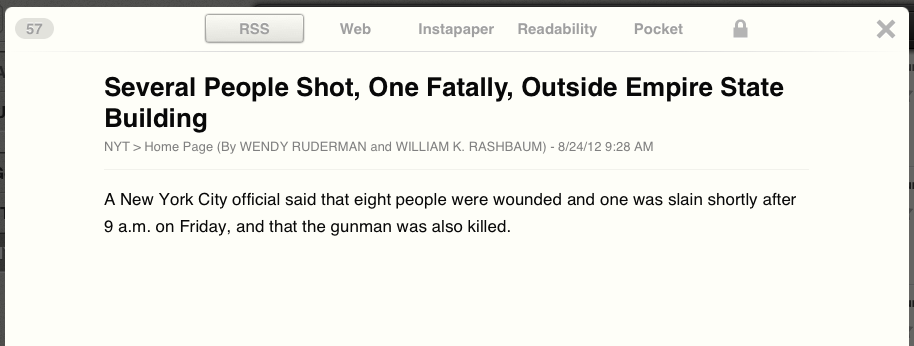
Mr. Reader RSS View
This is the basic RSS feed as intended by the publisher. In the case of The Times, you only see the excerpted text1 they publish. Across the top are a few buttons: Web, Instapaper, Readability, Pocket and a small lock icon. Web view is pretty straightforward:
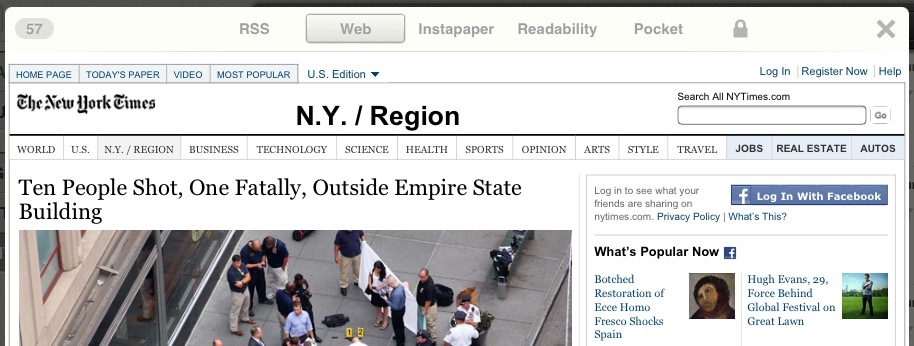
Mr. Reader Web View
Neat, but easy enough to get to a Web view by clicking the RSS headline in RSS view. The rest of the buttons are not, as I originally thought, for article sharing/exporting. Instead, clicking on any of them loads the article’s text inline as parsed by each service listed. Here’s Instapaper:
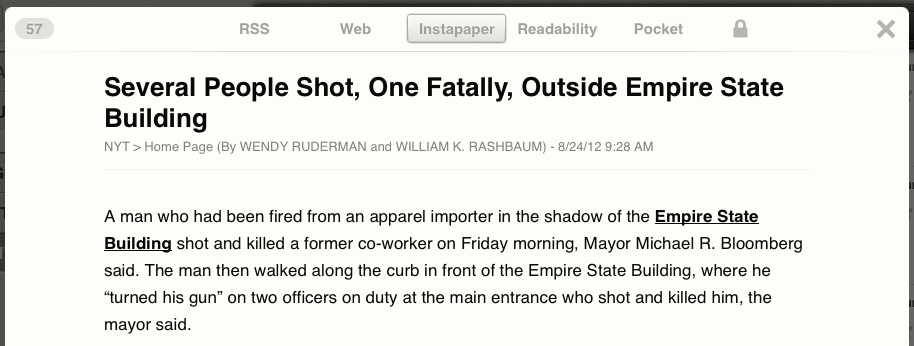
Mr. Reader Instapaper View
Mileage varies by site in terms of which service loads the cleanest content. Which is where that nifty little lock icon on the right comes in. Here’s how my Readability view looks.
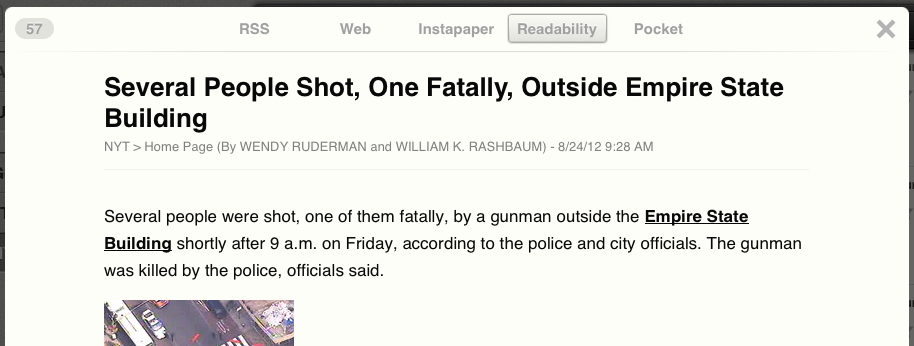
Mr. Reader Readability View
Notice how there’s no lock anymore? That’s because tapping it while any view is loaded will “lock” that view to the current feed. Readability loads the best output for the NYT feed, so I have it set to load whenever I click an NYT story (hence no more lock). This is excellent for feeds that publish partial or truncated content, or for, say, photo blogs that you’d prefer to load in Web view. The granular control, being able to pick which loads on a feed by feed basis, makes loading feeds the way I want to see them a breeze.
I’ll pause for a second and say I don’t feel 100% great about doing this for every site. After all, it’s the NYT’s prerogative to publish only a sentence or two over RSS, forcing me to visit their site and see their ads. Going through Readability or any of these services means not only am I not loading their ads, I’m bypassing their paywall as well. I’ve been a Times home delivery subscriber for six or seven years2 so I feel confident about reading their content any way I please, but for most sites, I still stick with the RSS view.
Services
As of today’s v1.10 update, Mr. Reader supports seemingly all major iPad third-party Web browsers (including Chrome), bookmarking services, read later apps, iOS task management apps and URL shortening services. It simply blows Reeder’s sharing options out of the water. Of course, I don’t need most of these services, but the few that I do use, Mr. Reader does extremely well. I’ll spare you and only share two:
Pinboard
I love sending sites to Pinboard. The new update to Mr. Reader adds the ability to search through your own tags and autocomplete them. When you tap the send to Pinboard button, a small window comes up that puts your cursor in the “Tags” dialog. All of your tags appear along a small bar just above the keyboard. As you start typing, only those that match your search get filtered onto the bar, allowing you to tap whichever you please.
Personally, I find it faster to actually type the tags I want, but having them displayed allows me to make sure I’m not creating a superfluous tag when a better one already exists. And if that weren’t nice enough, Mr. Reader will add any selected text into the “Description” dialog for your bookmark. It’s now my favorite way to add items to Pinboard.
OmniFocus
Previously, if I wanted to get an article into OmniFocus, I would either load it in Safari and use The Omni Group’s “Sent to OmniFocus Bookmarklet” or send the article to Instapaper, launch that app then send it to OmniFocus. Mr. Reader obviates that by integrating directly with OmniFocus.
I’ll admit that I don’t generally like sending links to OmniFocus. That’s why I have Instapaper and Pinboard, to hold my links. However, there are increasingly more times when I would like to send a link or a story to OmniFocus. Maybe it’s a potential story I’d like to pitch or an item I’d like to buy or a job I’d like to apply for. So it’s nice to have OmniFocus turned on as a service, for those times I need it.
Conclusion
When I sat down to write this post it was more of a quick, “Hey, new app update, go get it!” However, I’m smitten with Mr. Reader and can’t say enough about how much I enjoy using it. It has made feed reading easier and more comfortable for me. Instead of sitting at my Mac to catch up on news as I usually do, I get comfy on the couch with my iPad. Mr. Reader is now my preferred app, on any platform. Which is why I can’t shut up about it.
Go Get It (Or Other Stuff)
I mentioned a lot of apps in this article. I’m listing them here with iTunes affiliate links. Buying apps with these links supports the candler blog, which is nice because it helps me keep creating more content for the site. I thank you in advance. Now go read some feeds:
- Mr. Reader (iPad Only)
- Reeder ( iPhone | iPad | Mac )
- Instapaper (Universal)
- OmniFocus ( iPhone | iPad | Mac )
Slogger 2 Adds Plugins ⇒
Brett Terpstra just unleashed Slogger 2 over on Github. I’ve been using the original Slogger with Day One for about a week and have really enjoyed watching my online activity get sucked into this journaling app.
On this week’s episode of The Backlot (not up yet) I mentioned to Ryan that I’ve been working on a way to get all of my TV and movie viewing tracked with a Yahoo! Pipe.1 Brett added a plugin structure to the new version of Slogger, which means it should be (should be) easier to get services like Miso and GetGlue to be tracked.
I’ll definitely be tinkering with this and sharing the results, if any.
$935 HDMI Cable ⇒
Best Buy is in the crapper, but maybe if you buy this $935 HDMI cable from them, everything will get better.
Bonus: it’s only two feet long.
Autodesk Lays Off 500 ⇒
Digital design giant Autodesk laid off 7% of its workforce Thursday, sources tell Mashable.
That totals around 500 employees — including a number of 3D developers and several product managers.
That’s a real shame.
Closeup of Criterion's <em>The Game</em> Artwork ⇒
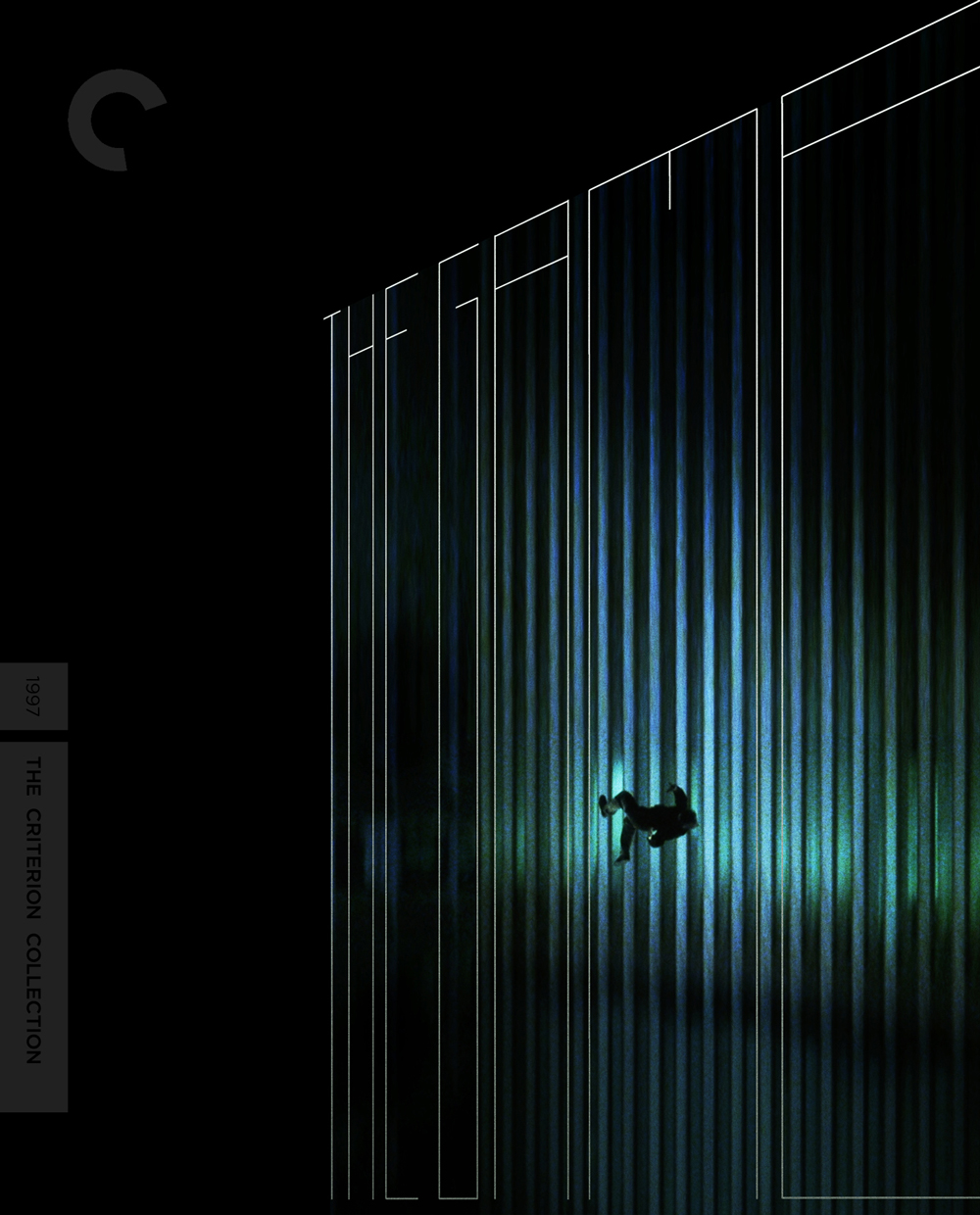
The Game Artwork
I think when I first saw this artwork I wasn’t an instant fan, but it’s grown on me. One of my favorite Fincher films and one of my first DVDs. This disc can’t come out soon enough.